Adding Docker Containers to a Project
A user must have "Owner" access to a project in order to carry out the following steps. For "Owner" project access, please contact the CNDA Help Desk.
To add a Docker container to your CNDA project, please follow the steps below.
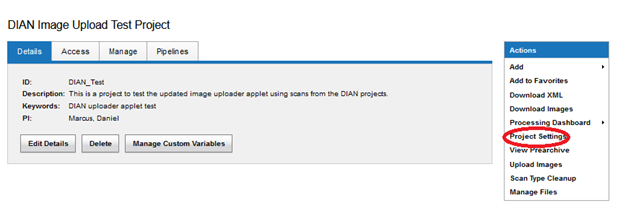
STEP 1: Click on Project Settings in the project Actions box.
STEP 2: On the Configure Commands tab, enable the containers you wish to use.
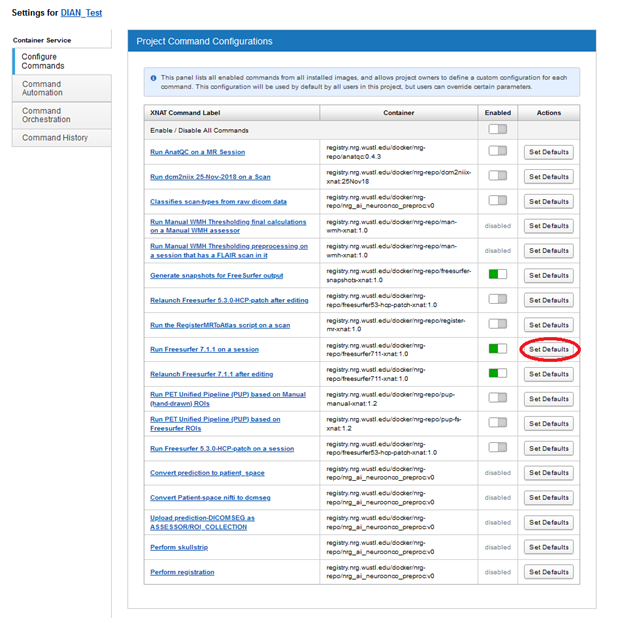
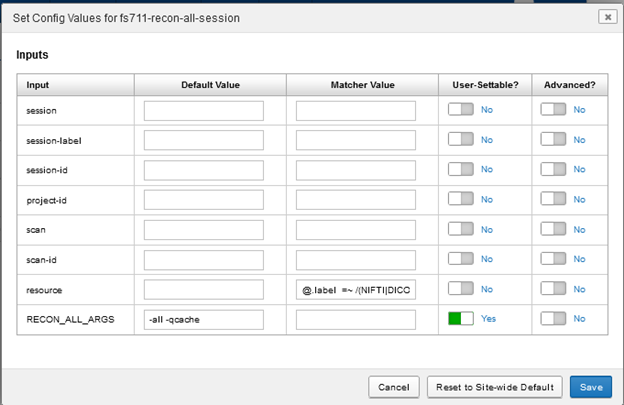
STEP 3: Click the Set Defaults button to view and edit default settings on the container.
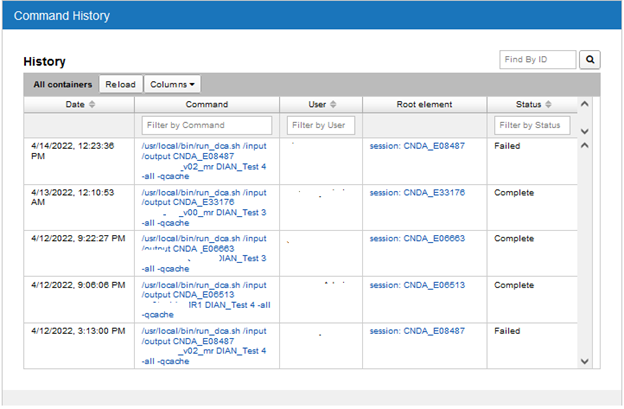
STEP 4: To view your containers' progress, click on the Command History tab.