
Generate and Use an XNAT Alias Token
CNDA2 uses WashU Key for web login. This works only in a browser and cannot be used with tools like XNAT Desktop Client (XDC), scripts, or the REST API. For those, you must use an Alias Token. This is a temporary alias/secret pair that acts like a username and password.
Who this applies to
- XNAT Desktop Client (XDC) users
- Scripts using the XNAT REST API (Python, curl, etc.)
Before you start
- Wait until the cutover date
- You must have a working WashU Key
- Your CNDA2 account must be active
Create an Alias Token
- Go to https://cnda.wustl.edu and log in with WashU Key
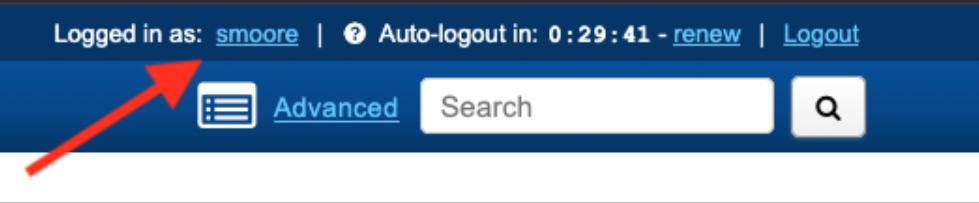
- Click your username in the top-right corner
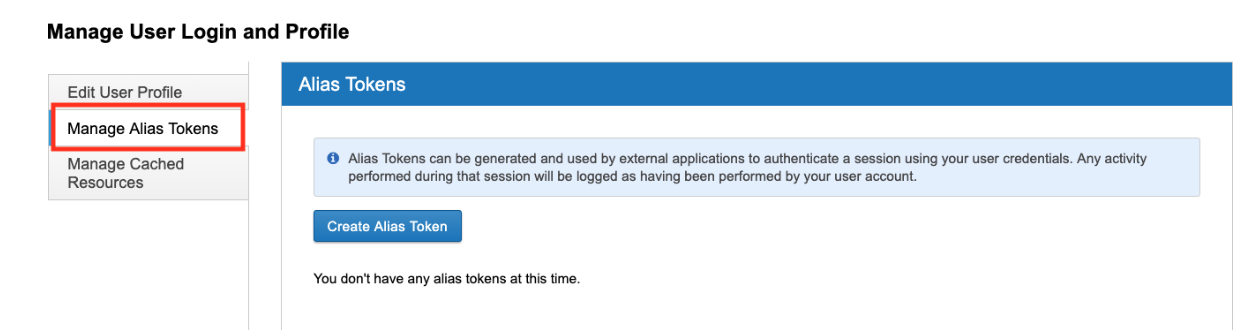
- Select Manage Alias Tokens
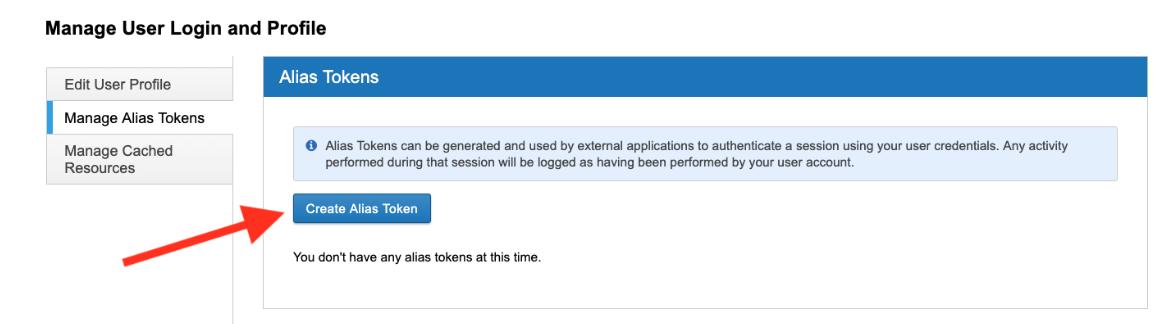
- Click Create Alias Token
- Your token now appears in the list. Click View
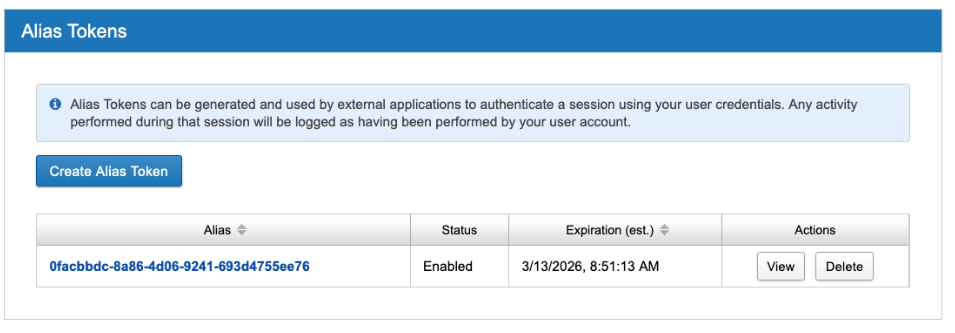
- Copy the alias (username) and secret (password) values from the popup
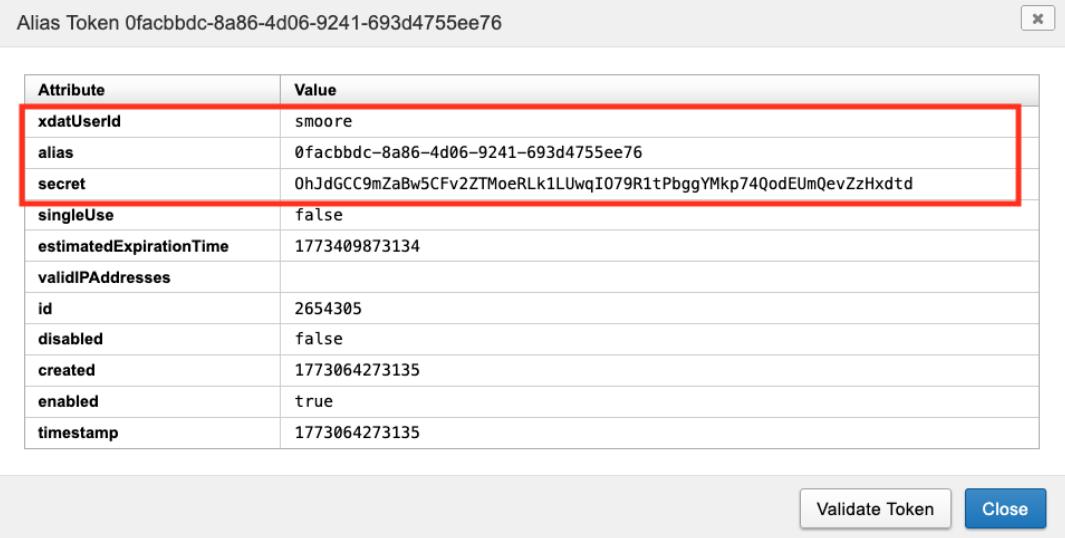
Keep these private. Treat them like a username and password.
Use the Token
XNAT Desktop Client (XDC)
- Server: cnda.wustl.edu
- Username: alias
- Password: secret
Scripts
curl:
curl -u "$CNDA_ALIAS:$CNDA_SECRET" \
  "https://cnda.wustl.edu/data/projects?format=json"
Python (XNATpy):
import os
import xnat

with xnat.connect(
    "https://cnda.wustl.edu",
    user=os.environ["CNDA_ALIAS"],
    password=os.environ["CNDA_SECRET"],
    extension_types=False,
) as session:
    project = session.projects["MY_PROJECT"]
TIP
Avoid hardcoding credentials in scripts. Use environment variables instead.
Token Lifecycle
- Tokens expire automatically after 90 days
- Once expired they stop working immediately
- To continue access: generate a new token and update your XDC connections and scripts
- You may delete old tokens from the UI to keep things clean, but this is optional
Troubleshooting
| Symptom | What to try |
|---|---|
| 401 Unauthorized from the REST API | Token may be expired. Generate a new one. |
| XDC login fails | Make sure you are using alias and secret, not WashU Key. |
| Script works on one machine but not another | Check for cached or outdated credentials. |
Key Takeaway
- Use alias tokens for anything outside the browser
- Expect them to expire every 90 days
- Regenerate when needed
Contact the CNDA Help Desk at [email protected] if you have questions.